
A business card is often the first thing a customer keeps from your business. A good one is easy to read, looks like your brand and fits in a wallet. A bad one ends up in the bin.
This guide shares 9 business card design ideas, one for each major industry, using real templates from OneDollarLogoMaker. Each one is shown with example details so you can picture it with yours. You'll also learn what to put on a card, the correct size and print settings, and the mistakes to avoid.
What to put on a business card
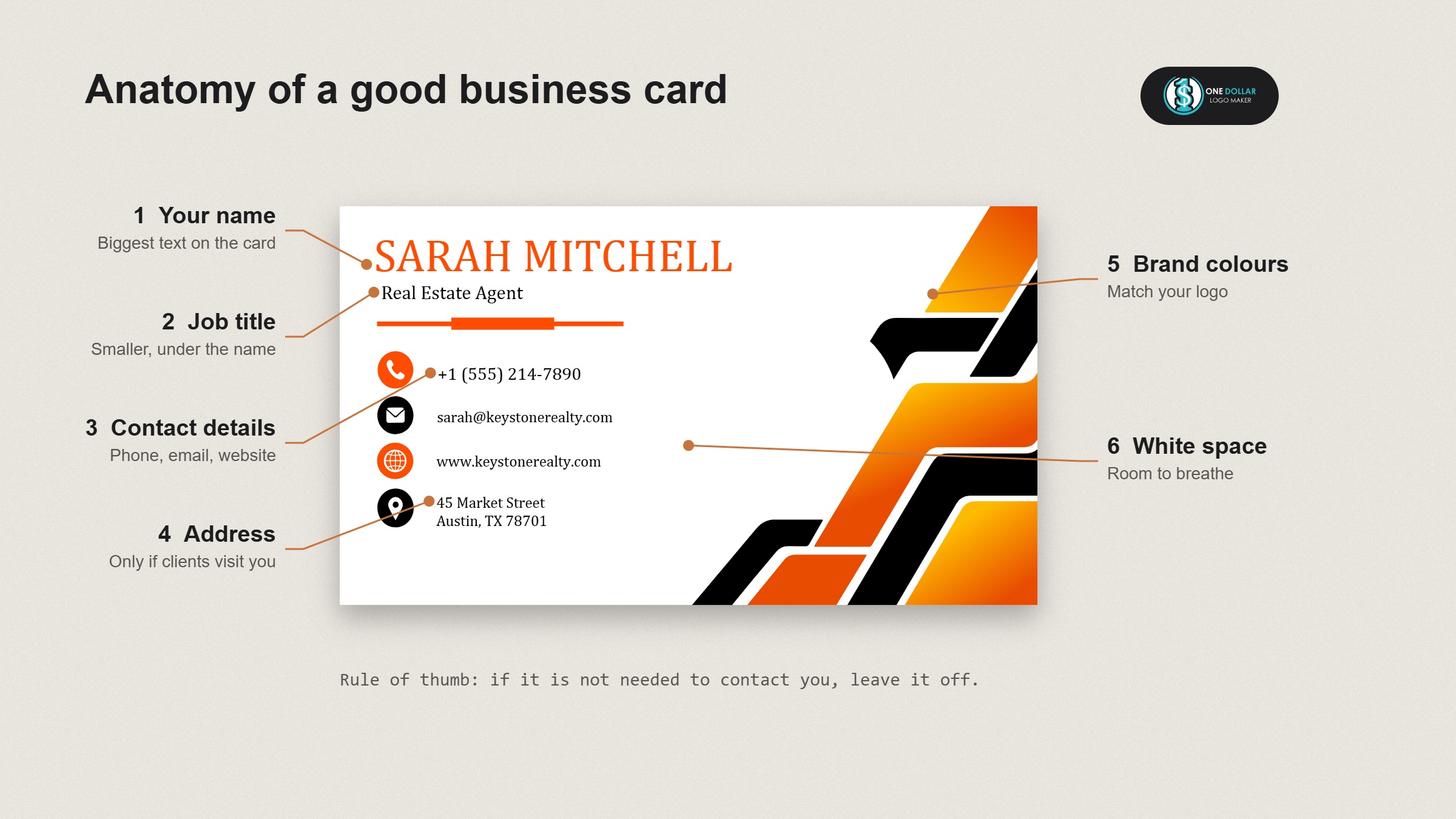
Keep it short. A business card has one job: helping people contact you. Include:
Your name – the largest text on the card.
Your job title – smaller and directly under your name.
Contact details – phone number, email and website. Add one social handle only if you use it for business.
Address – only if customers visit you, like a salon, café or office.
Your logo and brand colours – so the card instantly looks like your business.
Anything else, such as a long list of services, a slogan and three social links, usually makes the card harder to read. If in doubt, leave it off.
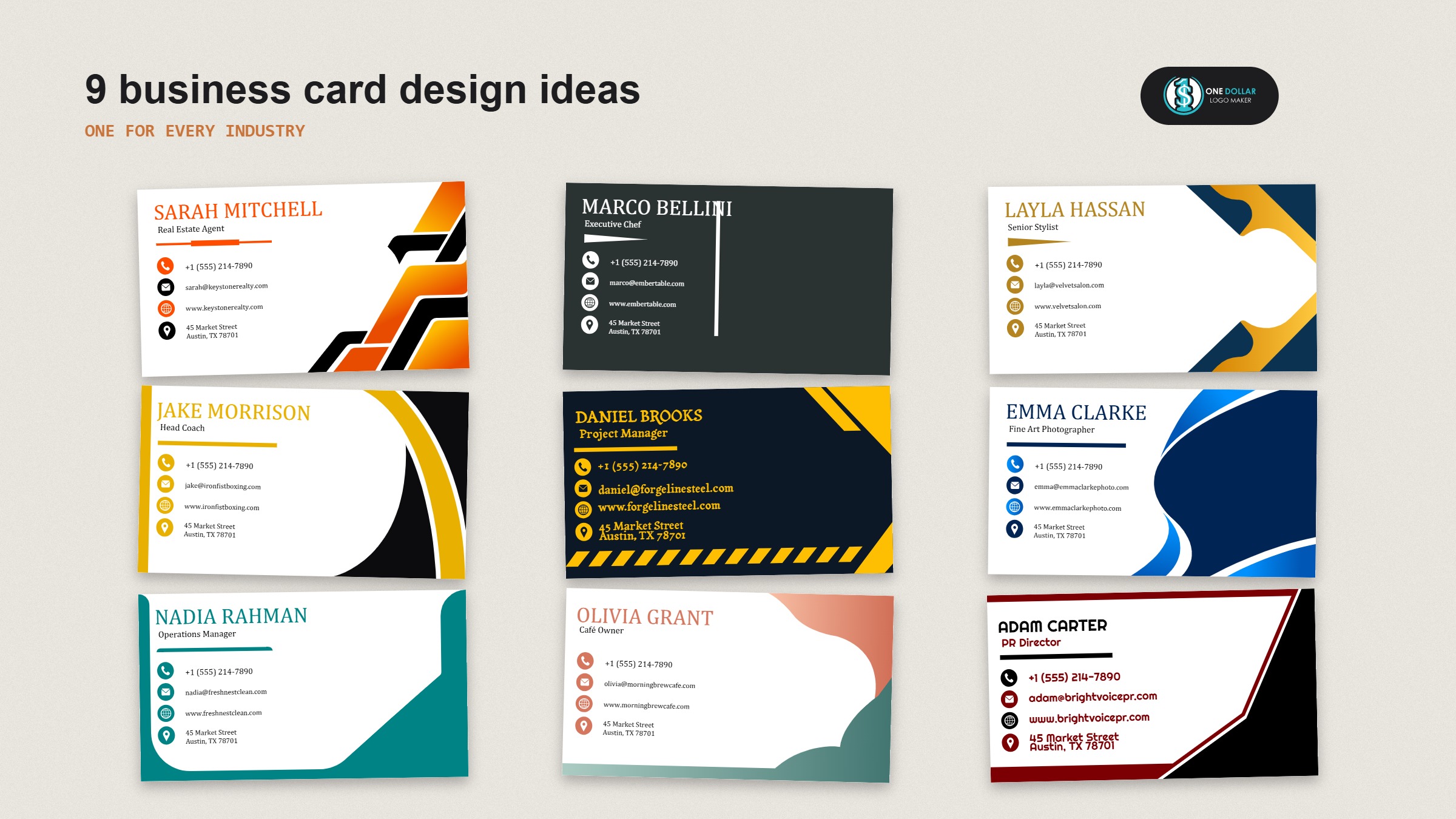
9 business card design ideas by industry
All of these templates are editable. Click any one to add your name and details, change the colours and download a print-ready file. You can also browse all business card templates.
1. Bold angles for a modern realtor (real estate)
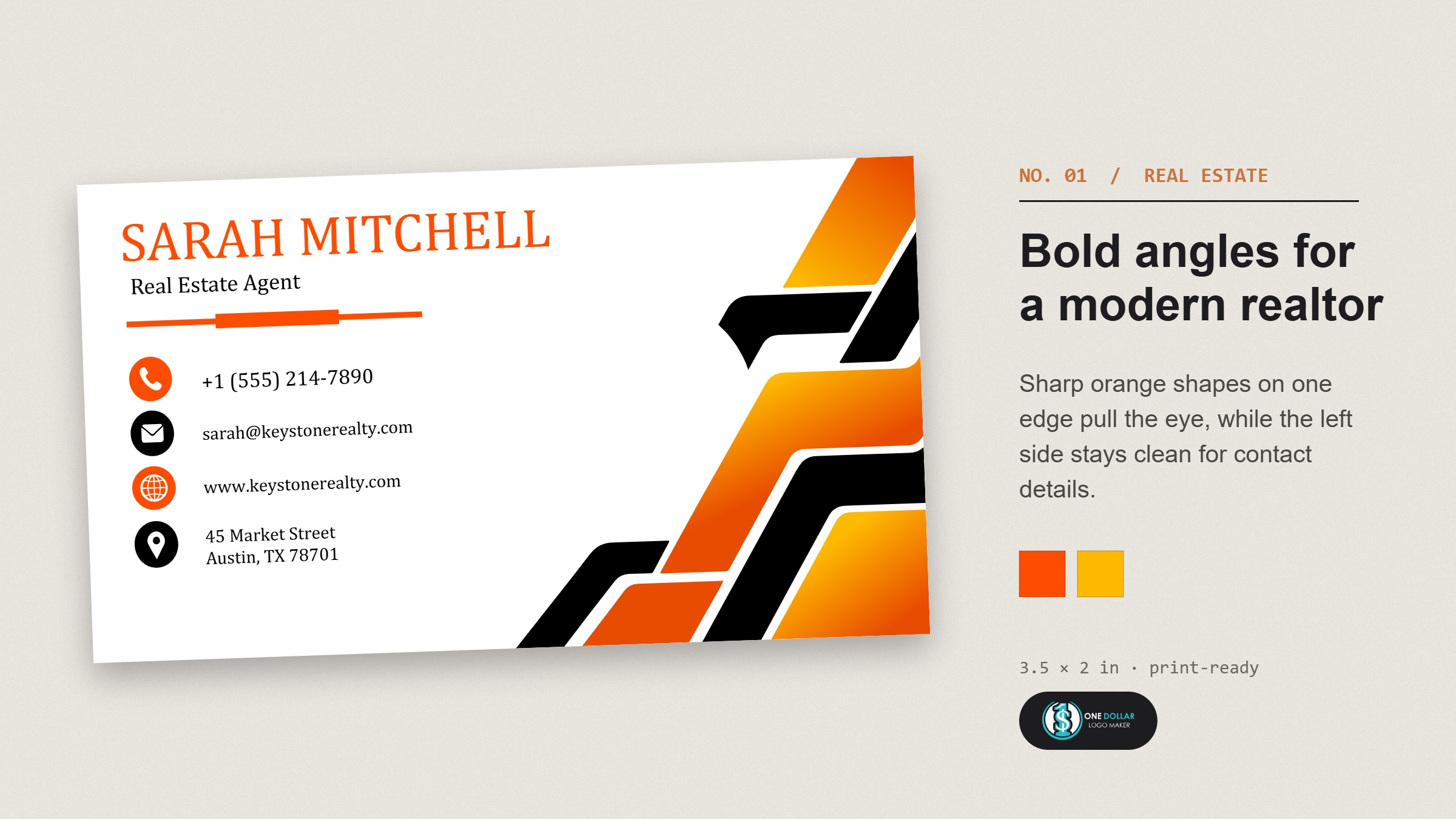
Sharp orange shapes on one edge pull the eye, while the left side stays clean for contact details. Shown here with the example name Sarah Mitchell.
Great for: agents, brokers, mortgage advisors and property managers.
Template: customise this modern realtor card or browse more real estate business cards
2. Dark and elegant for fine dining (restaurant)
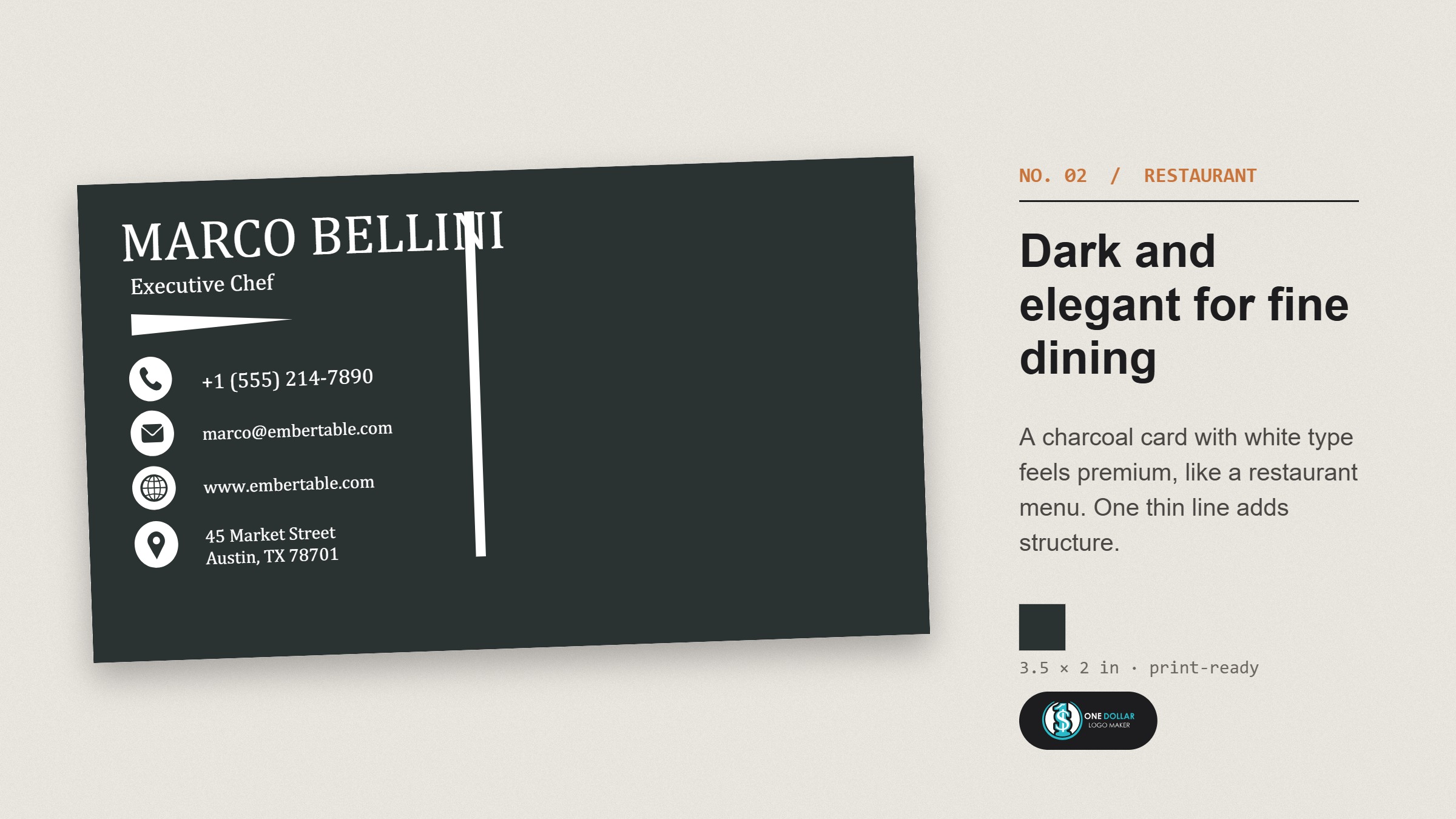
A charcoal card with white type feels premium, like a restaurant menu. One thin line adds structure. Shown here with the example name Marco Bellini.
Great for: chefs, restaurants, caterers and wine bars.
Template: customise this fine dining chef card or browse more restaurant business cards
3. Navy and gold for a luxury salon (beauty and salon)
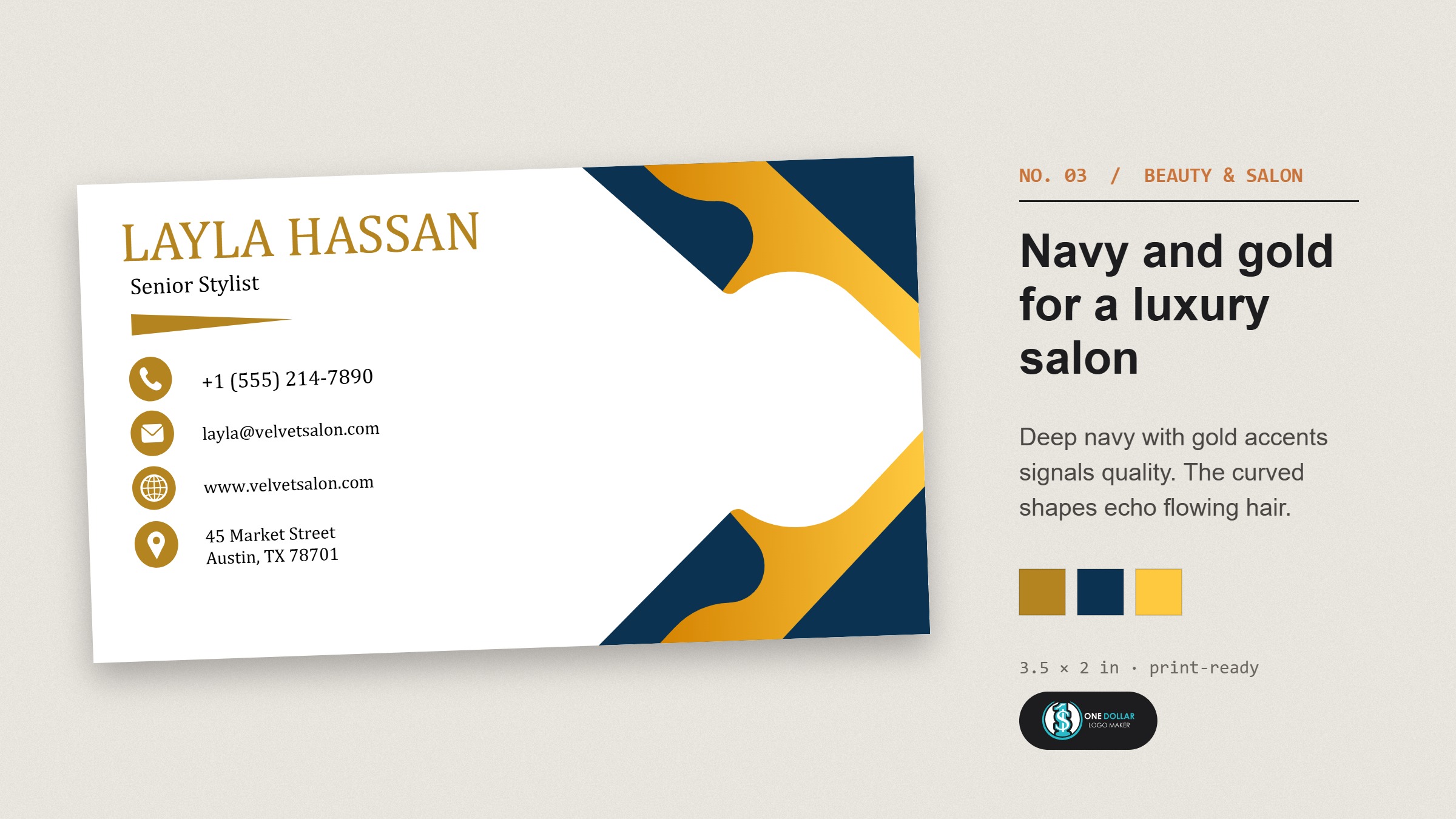
Deep navy with gold accents signals quality. The curved shapes echo flowing hair. Shown here with the example name Layla Hassan.
Great for: hair salons, stylists, spas and beauty therapists.
Template: customise this luxury hair salon card or browse more beauty and salon business cards
4. High-contrast black and yellow (fitness)
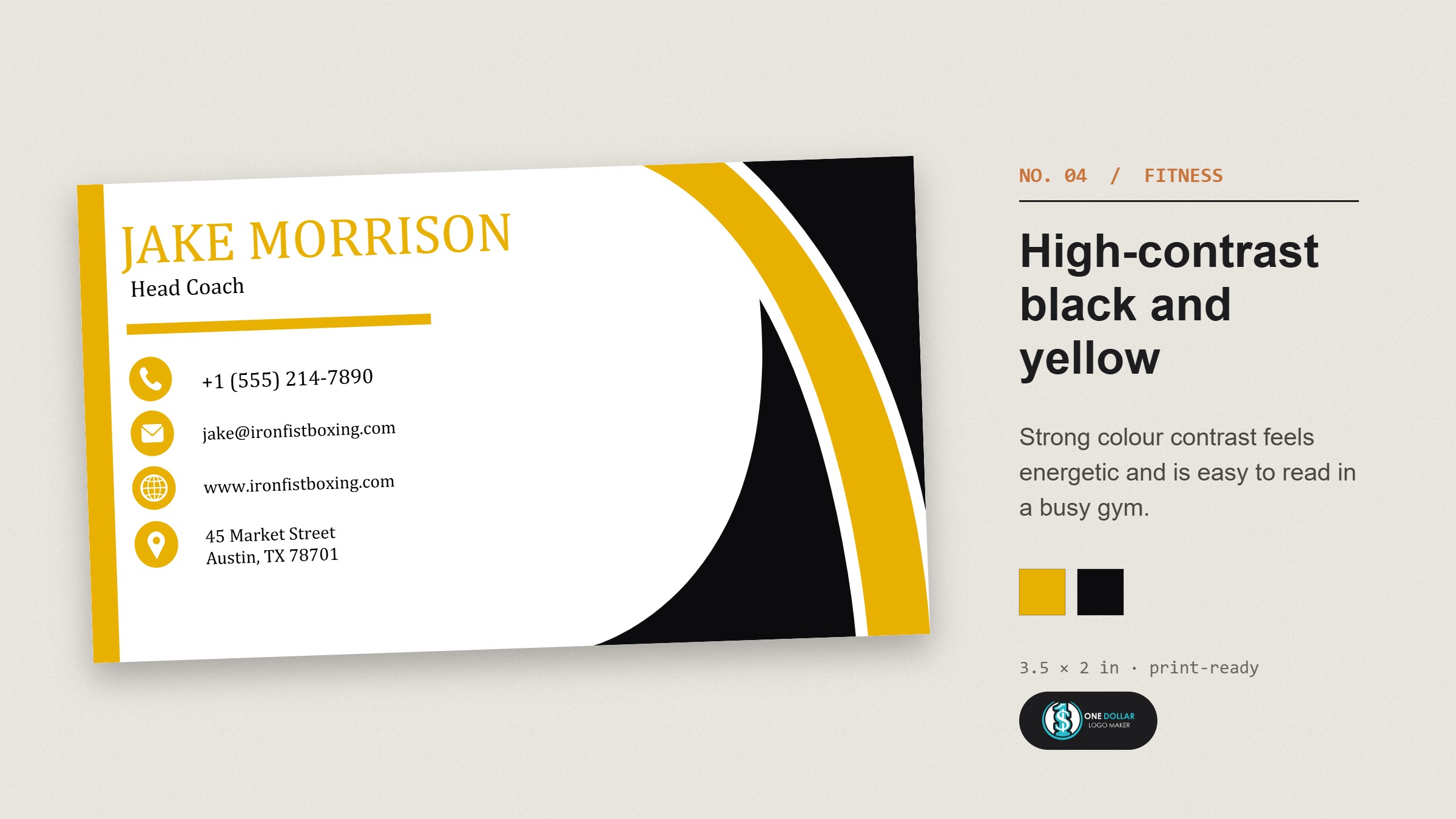
Strong colour contrast feels energetic and is easy to read in a busy gym. Shown here with the example name Jake Morrison.
Great for: boxing gyms, personal trainers, martial arts and sports coaches.
Template: customise this boxing academy card or browse more fitness business cards
5. Hazard stripes that mean business (construction)
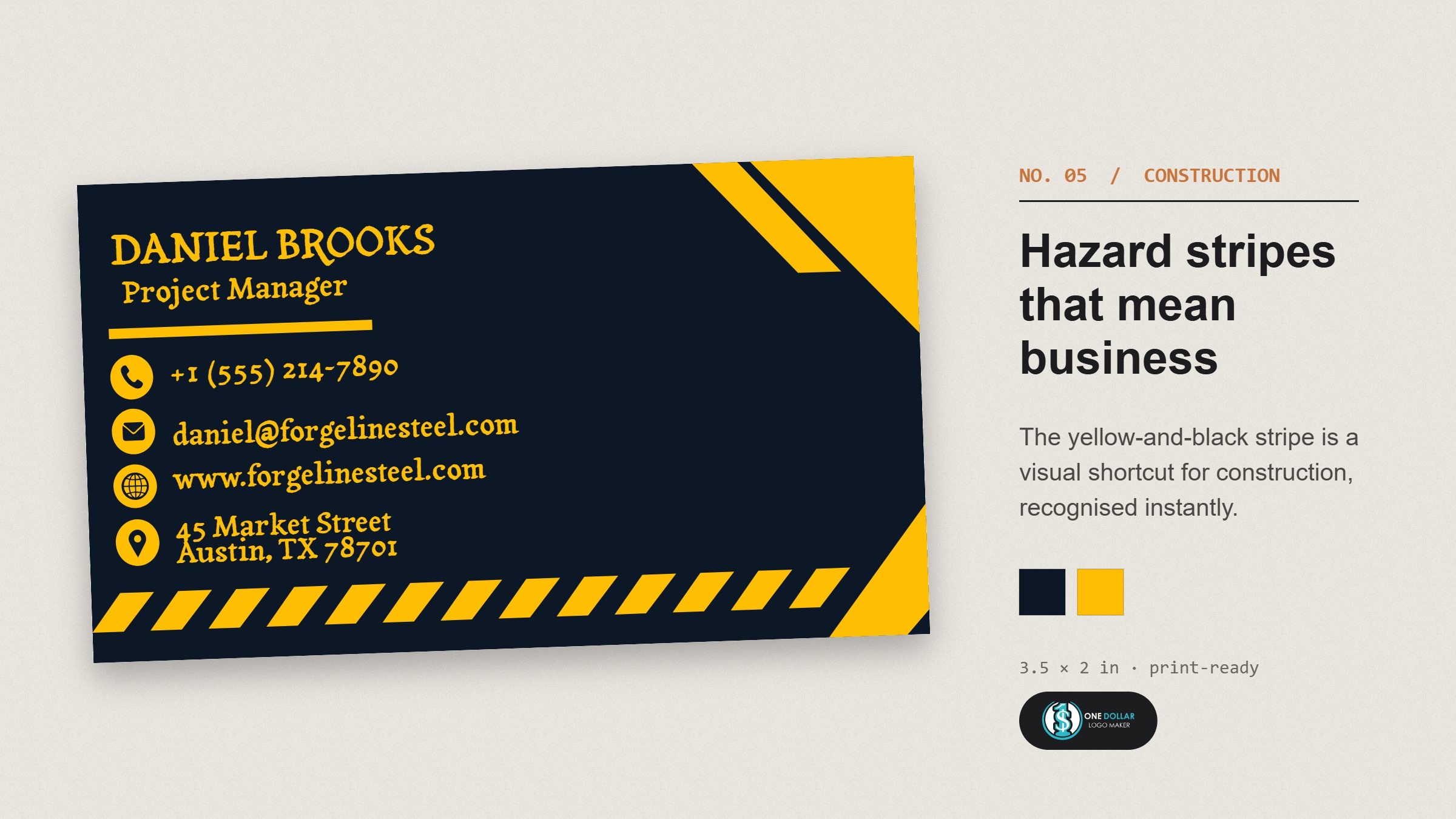
The yellow-and-black stripe is a visual shortcut for construction, recognised instantly. Shown here with the example name Daniel Brooks.
Great for: builders, contractors, electricians and engineers.
Template: customise this steel structures card or browse more construction business cards
6. Smooth curves for a creative (photography)
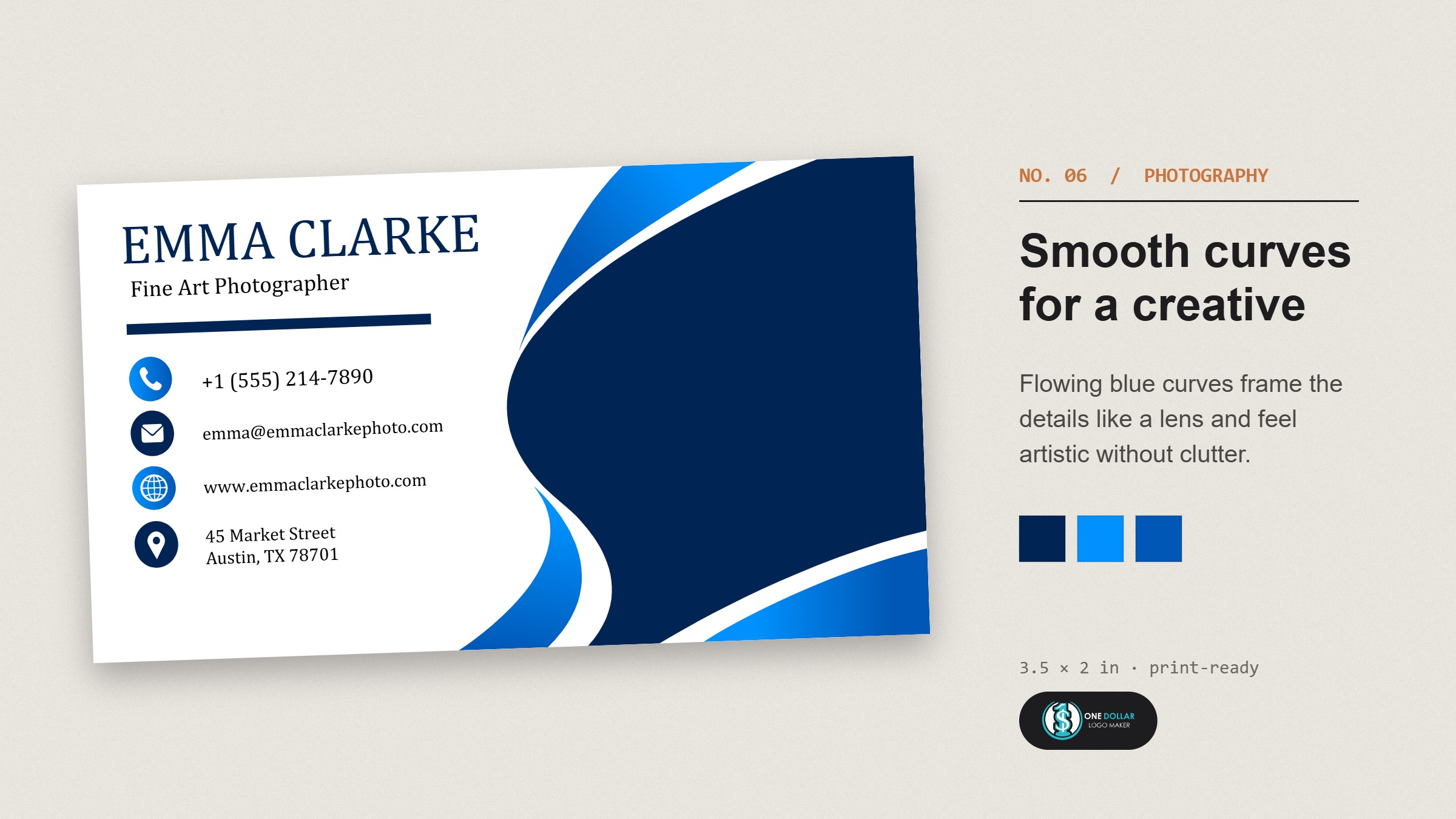
Flowing blue curves frame the details like a lens and feel artistic without clutter. Shown here with the example name Emma Clarke.
Great for: photographers, videographers, galleries and designers.
Template: customise this fine art photography card or browse more photography business cards
7. Fresh teal for a clean feel (cleaning)
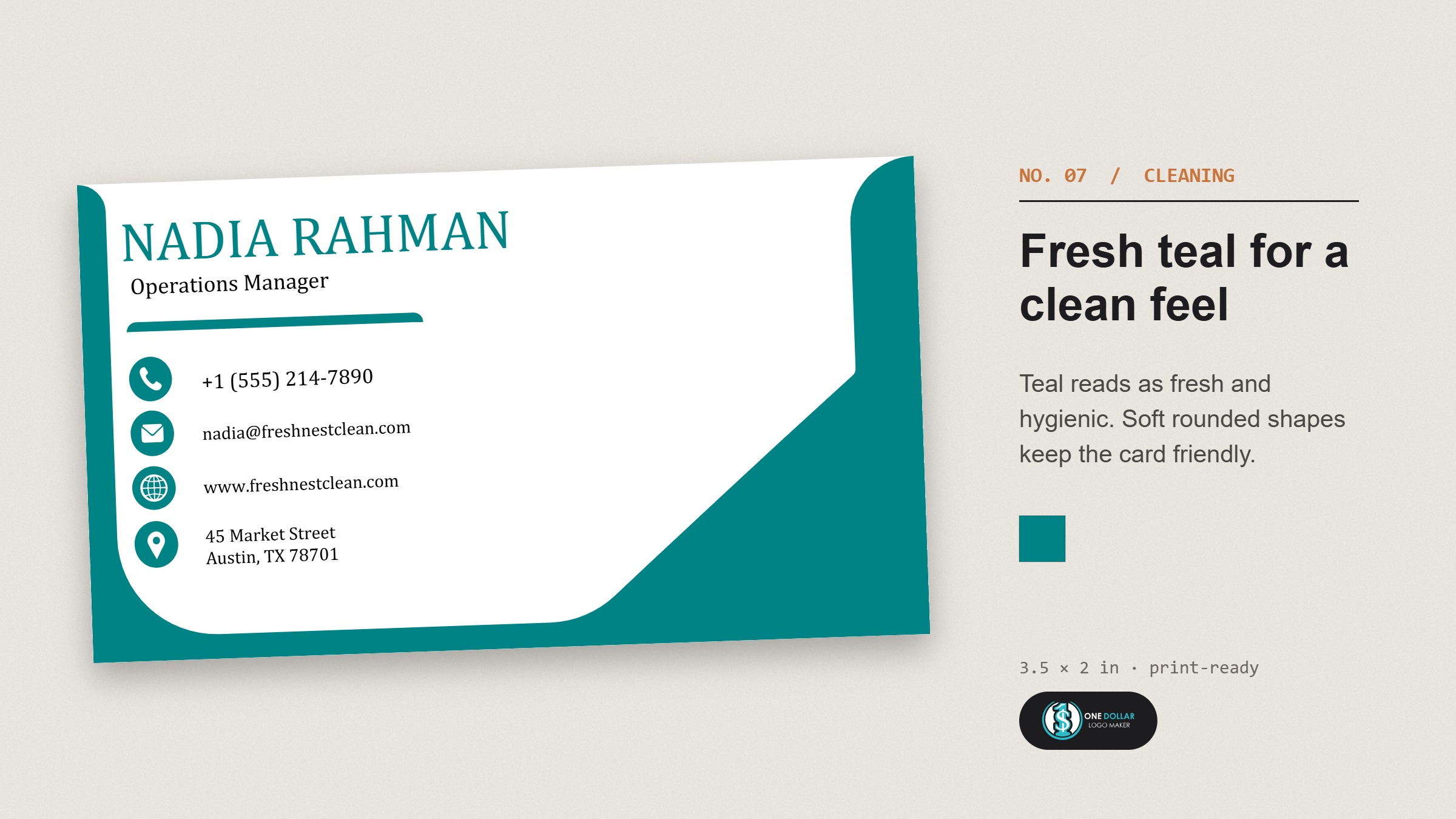
Teal reads as fresh and hygienic. Soft rounded shapes keep the card friendly. Shown here with the example name Nadia Rahman.
Great for: cleaning companies, laundries, pest control and home services.
Template: customise this cleaning and sanitisation card or browse more cleaning business cards
8. Warm peach for a cosy café (café and bakery)
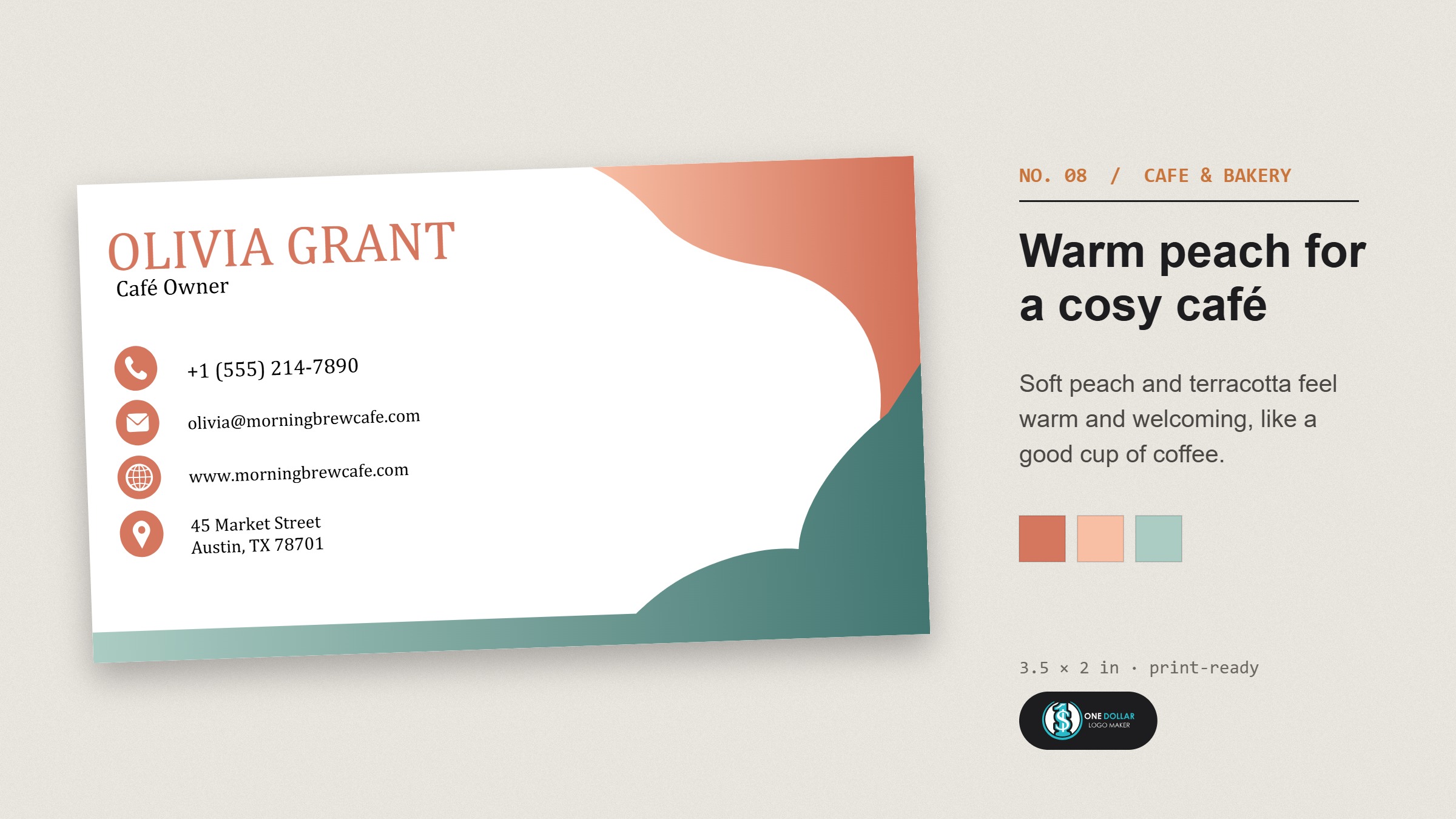
Soft peach and terracotta feel warm and welcoming, like a good cup of coffee. Shown here with the example name Olivia Grant.
Great for: cafés, bakeries, dessert shops and food trucks.
Template: customise this modern café card or browse more café and bakery business cards
9. Red and black for a confident agency (professional services)
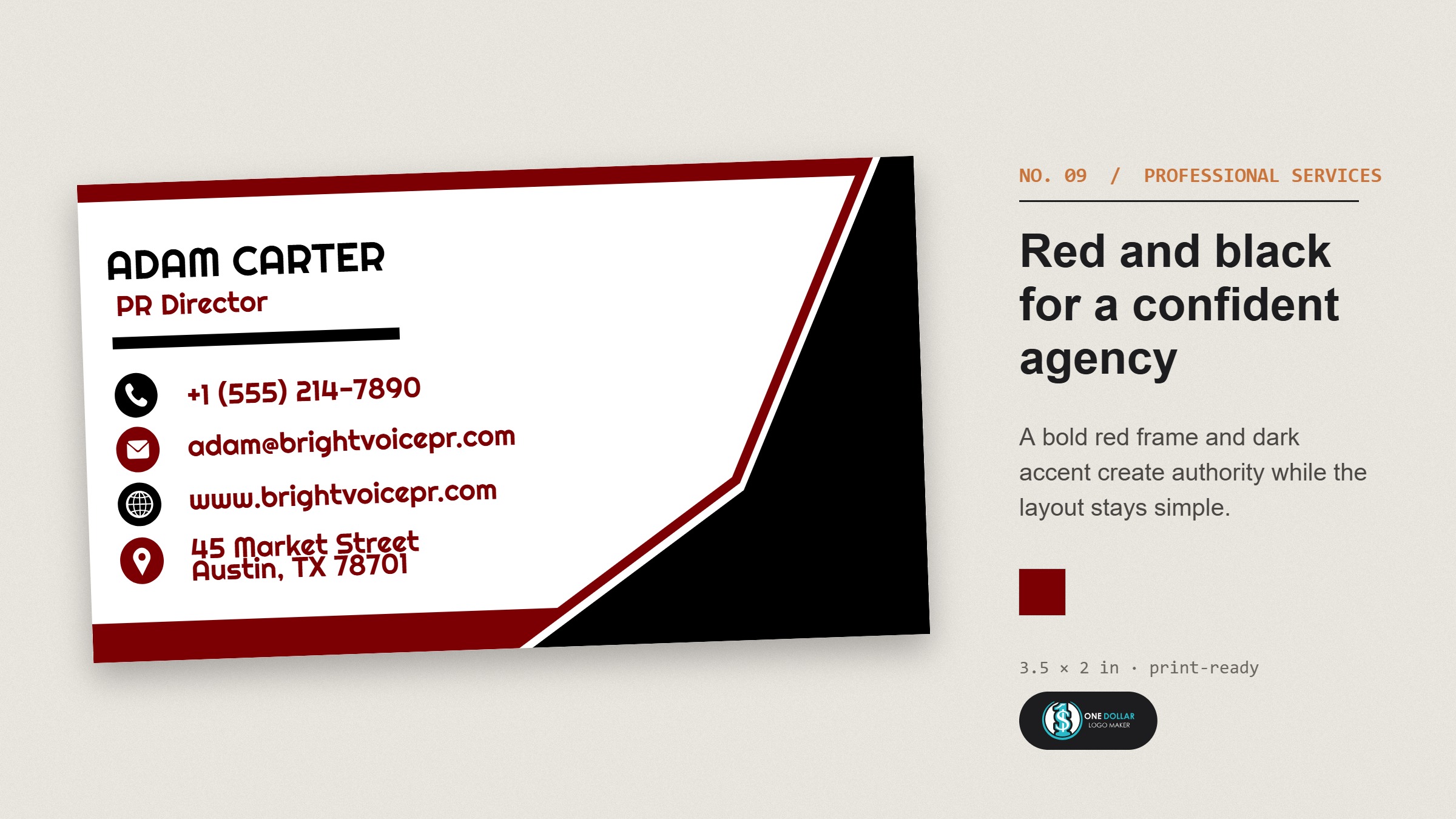
A bold red frame and dark accent create authority while the layout stays simple. Shown here with the example name Adam Carter.
Great for: agencies, consultants, lawyers and accountants.
Template: customise this public relations agency card or browse more professional services business cards
Business card size and print specs
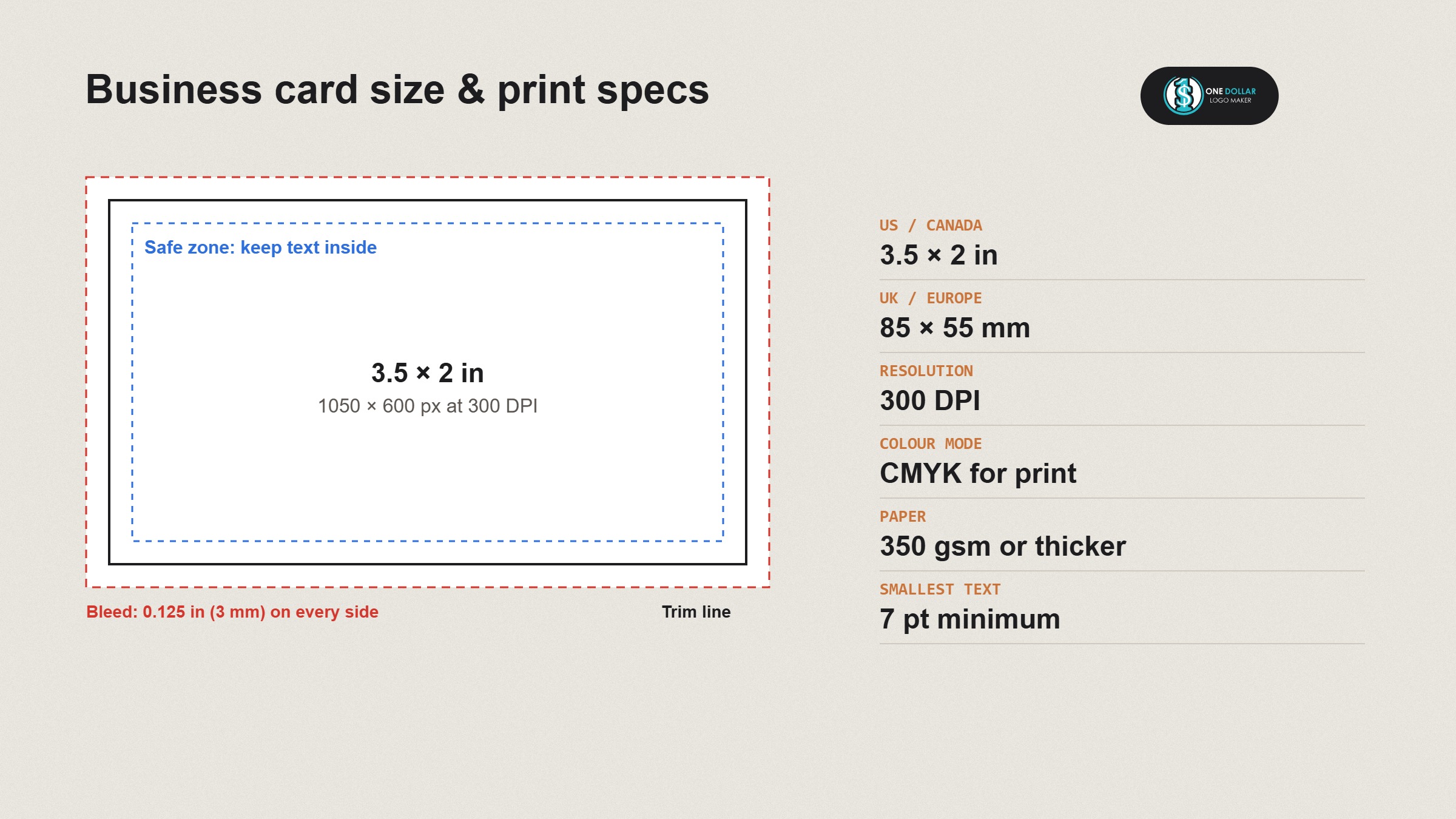
Before you send your card to a printer, check these settings:
Size: 3.5 × 2 inches in the US and Canada; 85 × 55 mm in the UK and most of Europe.
Resolution: 300 DPI. At that resolution a US card is 1050 × 600 pixels.
Bleed: extend background colours 0.125 inches (about 3 mm) past the edge so there are no white lines after cutting.
Safe zone: keep all text at least 0.125 inches inside the edge.
Colour mode: CMYK for printing. Colours look slightly different on paper than on screen, so order a small test batch first.
Paper: 350 gsm or thicker feels sturdy and professional.
Text size: nothing smaller than 7 pt, or it becomes hard to read.
7 business card design tips
Match your logo. Use the same colours and fonts as your logo so everything looks like one brand. Need a colour palette? Read our guide to the best logo colours for small businesses.
Make your name stand out. One big name, everything else smaller.
Use two fonts at most. One for your name and one for the details.
Leave white space. Empty space makes the card look calm and premium.
Check contrast. Light grey text on white, or dark blue on black, is hard to read in dim light.
Use both sides. Put your logo large on the front and your details on the back.
Proofread twice. A typo in a phone number makes 500 cards useless.
Common business card mistakes
Too much information: five phone numbers and a full service list.
Tiny text: it might look fine on screen but not in your hand.
Low-resolution logo: a blurry logo looks unprofessional. Always use a vector file such as SVG or PDF. Our logo size guide explains which sizes and files to use.
No bleed: leads to thin white edges after cutting.
Off-brand colours: a card that doesn't match your shop sign or website confuses customers.
How to make your business card in minutes
Open the business card templates and pick your industry.
Choose a design and type your name, title and contact details. You can edit for free before paying.
Adjust the colours to match your logo.
Download print-ready vector files (SVG and PDF) for a one-time $1.99.
Send the file to your local printer or an online print service.
Don't have a logo yet? Start with a logo template, then pick a business card in the same colours.
Final thoughts
The best business card design ideas keep things simple: a clear name, the right contact details and colours that match your brand. Pick a style that suits your industry, follow the print specs above and you'll hand out a card people actually keep.
Ready to design yours? Browse 250+ business card templates and customise one today.